v0.3.0 · bản phát hành sớm

Một file.
Hai store.
Ship.

appship release app iOS và Android của bạn lên App Store và Google Play từ một thư mục release/ duy nhất. Tool chạy trên nền fastlane, nên bạn không cần tự duy trì Fastfile nữa.

$ npm i -g appship-ai
~/Projects/word-bank
$ appship doctor
▸ Environment
  ✓ Node 22.12.0
  ✓ fastlane 2.232.2
▸ Security
  ✓ No key files tracked by git
  ✓ .gitignore protects release/keys/
▸ iOS · store listing
  ✓ Metadata OK for en-US, vi
▸ Android · questionnaire
  ✓ All answers present

  ✓ Ready — 0 warning(s)
$ appship upload --build
  ios: build/ios/ipa/WordBank.ipa
▸ fastlane ios upload
  android: build/app/outputs/bundle/release/app-release.aab
▸ fastlane android upload

Xem nhanh

appship trong 30 giây.

App chạy ngon trên máy, rồi bạn bấm publish. Phần sau đó là việc của appship: init, questionnaire của store, doctor và upload lên cả hai store.

Quy trình

Năm lệnh, từ repo trống đến App Review.

Thiết lập một lần cho mỗi dự án, kiểm tra mọi thứ, rồi lặp lại hai lệnh cuối ở mỗi lần release.

  1. Một lần mỗi dự án appship init

    Tự nhận framework, bundle id và package name, rồi tạo release/ với các template có chú thích và cập nhật .gitignore.

  2. Trước mỗi lần upload appship doctor

    Kiểm tra công cụ, key, giới hạn ký tự, kích thước ảnh và placeholder, và báo lỗi nếu key bị commit vào git.

  3. Chỉ lần đầu appship first-release

    Tạo app iOS, đẩy listing và App Privacy, và ghi CHECKLIST.md cho các bước store bắt làm tay.

  4. Mỗi lần release appship upload --build

    Chạy lệnh build của bạn, rồi đẩy .ipa lên TestFlight và .aab lên một track của Google Play, có staged rollout.

  5. Mỗi lần release appship submit

    Gửi bản build iOS đi App Review và promote bản Android lên production, sau khi bạn xác nhận.

Tự động hóa gì

Nói thẳng về những gì store cho phép tool làm.

Apple và Google cố ý để một số bước phải làm tay. appship tự động hóa những gì API của họ cho phép. Với phần còn lại, tool đưa bạn một checklist có sẵn câu trả lời của bạn.

  • Tự động appship làm
  • cần đăng nhập có 2FA, nên không chạy trên CI
  • Checklist không có API; chép câu trả lời của bạn vào console
BướcApp StoreGoogle Play
Tạo app first-release --create-app ChecklistGoogle Play không có API cho việc này
Upload bản build Tự độngTestFlight Tự độnginternal · alpha · beta · production, staged rollout
Nội dung listing & screenshots Tự độngpush và pull Tự độngpush và pull
Câu hỏi của store Tự độngAge rating, export compliance, content rights, thông tin liên hệ review ChecklistContent rating, data safety, target audience, ads, app access
App Privacy Upload từ questionnaire.yml n/a
Submit Tự độngApp Review Tự độngPromote một track lên production
Trạng thái Tự độngLive, in review, pending, bản TestFlight mới nhất Tự độngVersion code theo từng track

Trên Google Play, bundle đầu tiên phải upload tay. Tài khoản developer cá nhân mới còn cần chạy closed test với 12 tester trong 14 ngày trước khi lên production.

Tính năng

Mọi thứ xung quanh file binary, đều lo xong.

Một config cho mỗi dự án

Repo app của bạn chỉ có thêm thư mục release/. Logic release nằm trong tool, nên cập nhật appship là cập nhật mọi dự án đang dùng nó.

release/release.yml
app:
  name: "Word Bank"
  primary_locale: en-US
ios:
  bundle_id: com.ketch.wordbank
  artifact: "build/ios/ipa/*.ipa"
  build_command: "flutter build ipa --release"
android:
  package_name: com.ketch.wordbank
  track: internal
  rollout: 1         # 0.2 = 20% staged rollout
credentials:
  profile: ketch-studio

Câu hỏi của store, trả lời một lần

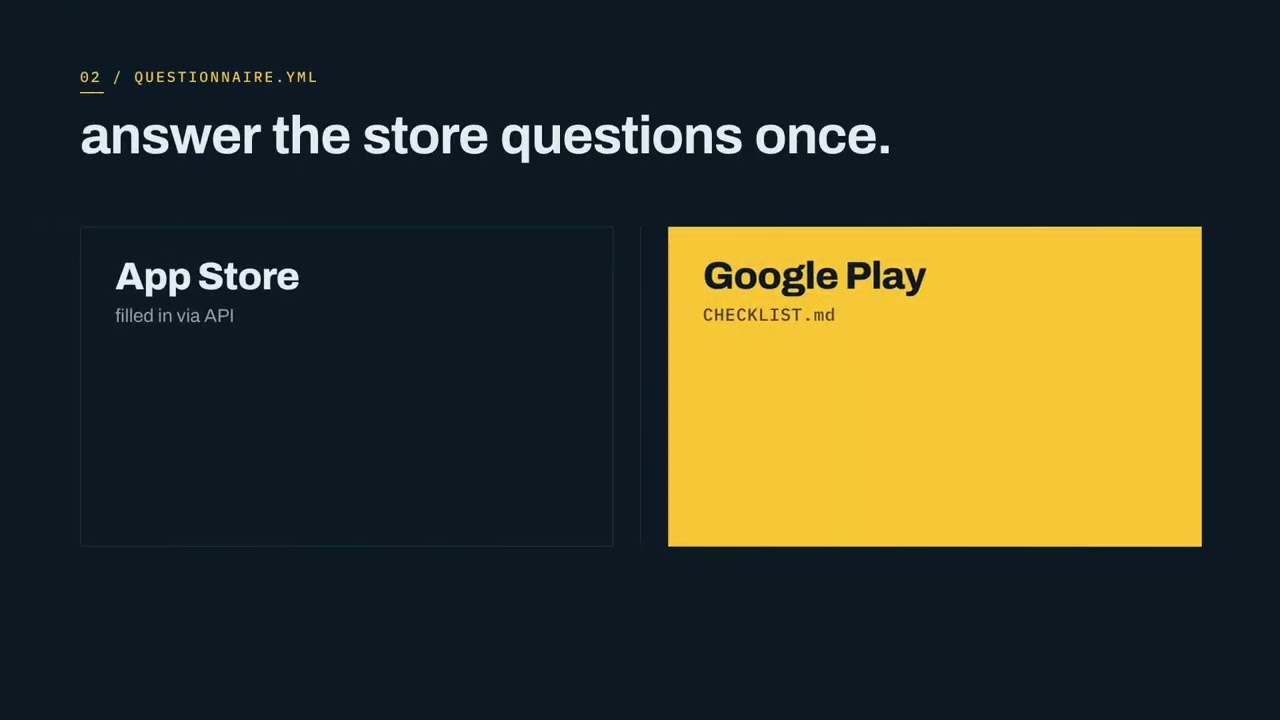
Age rating, export compliance, content rights, liên hệ của reviewer. Viết câu trả lời vào questionnaire.yml; appship điền phần API cho phép và đưa phần còn lại vào CHECKLIST.md.

release/questionnaire.yml
ios:
  export_compliance:
    uses_non_exempt_encryption: false
  content_rights:
    uses_third_party_content: false
  age_rating:
    gamblingSimulated: NONE
    violenceCartoonOrFantasy: NONE
    messagingAndChat: false
    ageAssurance: false

doctor bắt lỗi trước khi store làm điều đó

Giới hạn ký tự, URL không hợp lệ, TODO còn sót, sai kích thước ảnh, artifact cũ, thiếu key. Mỗi vấn đề đều kèm cách sửa.

appship doctor
▸ iOS · store listing
  ✗ ios/metadata/en-US/subtitle.txt is 34 characters (max 30)
  ! ios/screenshots/vi has no 6.9"/6.5" iPhone screenshot
▸ Android · store listing
  ✗ images/icon.png is 1024x1024, expected 512x512

  ✗ 2 error(s), 1 warning(s)

AI agent của bạn soạn sẵn nội dung cho store

Các skill đi kèm cho Claude Code, Codex và Antigravity viết release notes cho mọi ngôn ngữ, tạo ảnh chụp màn hình đúng kích thước store yêu cầu, và trả lời các câu hỏi của store dựa trên code của bạn. Chúng chỉ ghi file trong release/; bạn xem lại rồi mới push. Bản thân appship không bao giờ gọi AI.

appship skills
▸ Claude Code: .claude/skills/
  ✓ app-content  installed
  ✓ release-notes  installed
  ✓ store-screenshots  installed
▸ Codex + Antigravity: .agents/skills/
  ✓ store-screenshots  installed
    Run: $store-screenshots (Codex)

skill · store-screenshots

Ảnh store cho mọi ngôn ngữ, đúng từng pixel

Skill store-screenshots cùng bạn chọn màn hình cần chụp, chụp từ iOS Simulator hoặc Android emulator, dịch tiêu đề cho từng ngôn ngữ và render mỗi ảnh đúng kích thước store nhận: iPhone 1320×2868, iPad 2064×2752, Play 1080×1920, kèm feature graphic và icon 512 px. Xong thì chạy appship doctor để kiểm tra.

skill · app-content

Questionnaire của store, trả lời từ chính code của bạn

Skill app-content đọc dependency, Info.plist, AndroidManifest.xml và code, rồi điền age rating, App Privacy, export compliance, Data safety, content rating và quảng cáo vào release/questionnaire.yml, kèm bằng chứng cho từng câu trả lời. Skill giữ câu trả lời iOS và Android khớp nhau, và chỉ hỏi bạn những gì code không cho biết.

release/questionnaire.yml
ios:
  age_rating:
    advertising: true      # google_mobile_ads
  privacy:
    collects_data: true
    data:
      - category: DEVICE_ID   # AdMob
        purposes: [THIRD_PARTY_ADVERTISING]
        used_for_tracking: true  # ATT prompt
      - category: CRASH_DATA  # Crashlytics
        purposes: [APP_FUNCTIONALITY]
android:
  contains_ads: true       # same as iOS
  data_safety:
    collects_data: true
    shares_data: true      # ad network

Key không vào git

Key được tìm theo thứ tự: biến môi trường, rồi release/keys/ (đã gitignore), rồi profile trong ~/.appship lưu với mode 600. Mật khẩu được che trong --dry-run.

Chạy với mọi stack

appship chạy lệnh build của bạn và lấy .ipa và .aab. Dự án Flutter, React Native, Cocos Creator và native được nhận diện khi init.

Hỏi trước khi ghi

Submit, đẩy lên production và ghi đè listing đang live đều hỏi xác nhận. Trên CI, hãy truyền --yes một cách tường minh.

Sẵn sàng cho CI

Truyền key .p8 dạng plain text hoặc base64 qua APPSHIP_ASC_KEY. Workflow GitHub Actions dựng sẵn có trong hướng dẫn tích hợp.

AI agent

Hoặc để AI agent setup giúp bạn.

Dán prompt này vào Claude Code, Codex, Antigravity hoặc Cursor ở thư mục gốc của dự án. Agent cài appship, điền listing bằng các skill đi kèm và chạy doctor đến khi hết lỗi. Agent không đụng vào key, và không ghi gì lên store khi bạn chưa yêu cầu.

prompt
Set up appship-ai in this project so I can release it to the App Store and Google Play.
appship is a CLI that wraps fastlane. Guide: https://appship.ketchsoft.com/docs.html

1. Check node (22+), fastlane and appship (`appship --version`). Tell me what is missing and ask before installing anything globally (`brew install fastlane`, `npm i -g appship-ai`).
2. Run `appship init --yes --agents <you>` at the project root, where <you> is claude, codex or antigravity (the agent you are; use claude if none fits). Compare release/release.yml with the project (build_command, artifact paths, bundle id, package name), fix what is wrong and tell me what you changed.
3. Store keys: tell me what I need (App Store Connect API key, Google Play service account JSON) and how to create them, following "Get store keys" in the guide. I will run `appship credentials add <profile>` in my own terminal. Then set credentials.profile in release.yml.
4. Fill the store content with the skills that init installed: app-content for release/questionnaire.yml, the listing text in release/*/metadata, then store-screenshots. If the skills are not loaded in this session, read their SKILL.md files in .claude/skills/ or .agents/skills/ and follow them. If the app is already live, ask me whether to run `appship metadata pull` first. Ask me for anything the code cannot tell you; leave contacts, demo accounts and passwords as TODO until I give them.
5. Run `appship doctor` and fix until there is no ✗. List the remaining warnings (!).
6. Finish with a short summary: what is done, what I still have to do by hand, and the next command to run.

Rules:
- Never run a command that writes to a store (upload, metadata push, submit, promote, first-release, signing import, header) unless I ask. Then run it with --dry-run first and wait for my OK. Add --yes only after I approved the dry run in this chat.
- Never open, print, copy or commit key files (*.p8, *.p12, *.jks, *.keystore, service account JSON) or anything in release/keys/.
- Do not commit or push.
- Reply in the language I write in.

Thêm prompt: CI, mỗi lần release, ký iOS →

Blog

Bài mới trên blog

Xem tất cả →

Sẵn sàng ship?

appship được phát hành trên npm. Bạn cần Node.js 22+, fastlane, và macOS để build iOS (Android chạy được cả trên Linux).

$ npm i -g appship-ai
Hướng dẫn tích hợp →

appship miễn phí, giấy phép MIT. Nếu nó giúp bạn đỡ mất một ngày release, bạn có thể mời người làm ra nó một ly cà phê.

Mời một ly cà phê

v0.3.0 đã có test và dry-run nhưng chưa được chạy thử trên store thật. Hãy bắt đầu với --dry-run và các lệnh chỉ đọc như appship status.